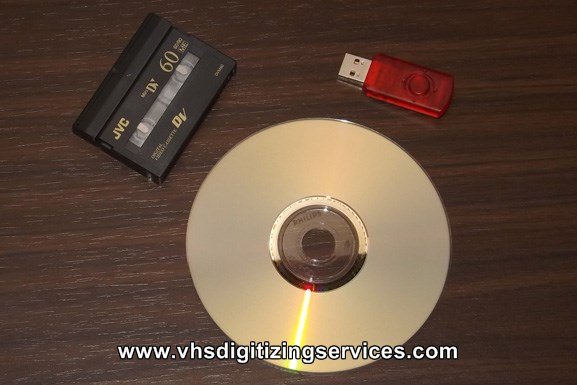
Introduction to Mini DV Tapes
Mini DV tapes emerged in the late 1990s as a significant advancement in the consumer video recording industry. They were developed as a smaller, more affordable alternative to full-sized DV tapes, which were primarily used in professional settings. The compact design of mini DV made it possible for consumers to capture high-quality digital video using handheld camcorders. This format quickly gained popularity due to its portability, affordability, and the exceptional video quality it provided, which appealed to both amateur filmmakers and enthusiasts.
During their peak usage from the late 1990s to the early 2000s, mini DV tapes became a common choice for documenting important life events, such as weddings, birthdays, and family gatherings. The introduction of mini DV also allowed users to record longer footage without substantial degradation of quality, offering a combination of convenience and reliability. This led to a noteworthy increase in the volume of home videos, as families could easily capture and store cherished memories on these tapes.
As technology has continued to evolve, however, the dominance of mini DV has waned. The advent of digital storage solutions, such as SD cards and cloud storage, has led to a decline in the production and use of mini DV tapes. Nevertheless, many households still possess precious recordings preserved on these tapes, which are at risk of being lost as magnetic media deteriorates over time. Consequently, it has become increasingly important to consider the conversion of mini DV tapes to digital formats. By transferring this footage to more stable storage options, individuals can ensure the longevity of their treasured memories while adapting to modern technological advances.
Why Convert Mini DV Tapes to Digital or DVD?
In an era of rapid technological advancements, the importance of converting Mini DV tapes to digital formats or DVDs cannot be overstated. One of the primary benefits of this conversion is accessibility. Mini DV tapes require specific playback equipment, which can be difficult to find as technology evolves. By converting these tapes, individuals can store their memories in a more accessible format, suitable for playback on a variety of modern devices such as laptops, tablets, and smartphones. This accessibility ensures that cherished memories can be enjoyed anytime and anywhere without the need for outdated hardware.
Another significant reason for converting Mini DV tapes is the longevity of digital formats. Magnetic tapes are susceptible to degradation over time due to environmental conditions such as heat, humidity, and dust. Digital files, on the other hand, can be stored on hard drives, cloud storage, or solid-state drives, offering a much longer lifespan if properly maintained. Ensuring that these memories are preserved for future generations is crucial, making conversion a wise investment.
Furthermore, converting Mini DV tapes to digital formats or DVDs enhances video quality. Advances in technology allow for improved color correction and stabilization during the conversion process, resulting in a clearer and more polished end product. This enhancement can breathe new life into old footage, transforming grainy and shaky home videos into enjoyable viewing experiences.
Finally, digitizing footage from Mini DV tapes facilitates easier sharing and editing. Digital files can be effortlessly uploaded to social media platforms, shared via email, or compiled into video editing software for further creativity. This flexibility allows individuals to engage with their memories in new and innovative ways. Ultimately, converting Mini DV tapes to digital or DVD formats presents numerous advantages that ensure these precious memories remain alive and vibrant.
What Equipment Do You Need for Conversion?
Converting mini DV tapes into digital formats or DVDs requires specific equipment to ensure a successful transition of your cherished memories into a modern medium. The first essential piece of equipment needed is a video camera or player that can directly play mini DV tapes. Most digital camcorders or mini DV players possess the capability to read and playback these tapes. If you own a camcorder from the mini DV era, you are in luck, as this will facilitate the conversion process significantly.
In the event that you do not own a compatible camcorder, renting or purchasing a mini DV player is advisable. These devices can be found at audiovisual equipment rental stores or online marketplaces. Having a quality player is paramount because it ensures that the video playback remains clear and without distortion, providing the best source material for conversion.
Next, a video capture device is pivotal for transferring the video data from the tape to a digital format. This device acts as an intermediary between the analog video output and your computer. Several options exist for video capture devices, including USB capture adapters, which can connect to the video output from your camcorder and plug into your computer’s USB port. Look for a capture device that supports the desired video format and offers high-quality resolution to preserve the video’s integrity.
Once the video is captured, a computer equipped with appropriate software is essential for editing and saving your files. Various video editing programs, both free and paid, exist for different skill levels and needs. Popular software options include Adobe Premiere Pro, Final Cut Pro, and free alternatives like iMovie or HitFilm Express. Choose software that best fits your proficiency and desired output quality.
By gathering the necessary equipment, converting mini DV tapes becomes an achievable task, allowing you to preserve your invaluable memories efficiently.
Step-by-Step Guide to Converting Mini DV Tapes
Converting Mini DV tapes to digital or DVD formats is a process that can enhance the longevity and accessibility of your cherished videos. To begin this transition, gather the necessary equipment, which includes a Mini DV camcorder or a compatible digital video converter. Additionally, you will need a computer with video capture software and ample storage for the digitized files. Once you have your materials in place, you can follow the outlined steps.
First, connect your Mini DV camcorder to your computer using a FireWire (IEEE 1394) cable. Ensure that your camcorder is recognized by your system. If you are using a video capture card, follow the manufacturer’s instructions to connect the devices properly. Once connected, power on your camcorder and set it to playback mode. This action allows you to access the recorded footage on the tape.
Next, launch your video capture software. Most software will have a straightforward interface, allowing you to select the input device (your camcorder) and the format for saving the video, such as AVI, MOV, or MP4. Initiate the capture process, which entails pressing the play button on the camcorder and the record button in the software simultaneously. Monitor the progress as the software captures the footage, ensuring that the video is transferred without interruptions.
After the entire tape has been captured, it is essential to save the files to your designated folder. Organizing the files into specific directories can make retrieval easier in the future. If you choose to convert the videos to DVD, you can use DVD authoring software to create a menu and burn the content onto a disc.
Throughout the conversion process, you may encounter common issues such as dropped frames or audio sync problems. Ensure that your computer is well-optimized and not overloaded with simultaneous processes, which can lead to such issues. By following these steps carefully, you can successfully convert your Mini DV tapes into durable digital formats, preserving your memories for years to come.
Choosing the Right Format for Digital Files
When converting Mini DV tapes to digital files, selecting the appropriate format is crucial to ensuring the best usability, quality, and compatibility for future use. Popular formats such as MP4, AVI, and MOV each offer distinct advantages and disadvantages that are important to consider.
The MP4 format is widely regarded as one of the most versatile options available. It employs advanced compression techniques, providing a good balance between file size and video quality. MP4 files are easily playable on various devices, ranging from computers to smartphones and tablets. This compatibility makes MP4 an excellent choice for users who plan to share their videos across different platforms. However, while MP4 supports high-quality video, the compression can sometimes result in a loss of detail, particularly in scenes with high motion or detail.
Another option, AVI (Audio Video Interleave), is recognized for its high-quality video output. AVI files are less compressed than MP4, which makes them suitable for archiving original quality footage. This format is particularly beneficial for editing purposes, as it allows for more flexibility in manipulation. Nevertheless, the trade-off is that AVI files tend to be significantly larger, which may pose storage challenges and limit compatibility with some online platforms and devices.
MOV, developed by Apple, is another robust format that offers high-quality playback. MOV files are quite versatile and can support multiple tracks of video, audio, and text, making them an excellent choice for users who demand high production quality. However, users should be mindful that MOV files may not be as universally compatible as MP4, especially on non-Apple devices.
Ultimately, the choice of format depends on individual needs and preferences, considering factors such as desired quality, storage capacities, and playback devices. Evaluating these aspects will assist in making an informed decision when converting Mini DV tapes to digital files.
Editing Footage After Conversion
Once you have successfully converted your Mini DV tapes into a digital format or burned them onto DVDs, the next step is to edit the footage. Editing allows you to refine your videos, enhancing their quality and making them more engaging for viewers. Whether you are looking to trim unwanted sections, improve colors, or add creative transitions and titles, there are several software options available to facilitate your editing process.
For those who prefer free options, software like DaVinci Resolve and HitFilm Express provides robust editing capabilities without costing a penny. DaVinci Resolve is known for its powerful color correction features, which can significantly enhance the visual appeal of your videos. On the other hand, HitFilm Express combines video editing with advanced visual effects, making it suitable for users who want to incorporate more creativity into their edits. Both programs support various digital video formats and offer user-friendly interfaces, making them suitable for beginners and experienced editors alike.
If you are looking for more advanced editing tools, consider investing in paid software such as Adobe Premiere Pro or Final Cut Pro. These professional-grade tools come with a plethora of features that cater to a wide range of editing needs. They allow users to carefully trim clips, adjust audio levels, stabilize shaky footage, and even offer extensive color grading options to enhance the overall aesthetic of your projects. With their advanced capabilities, you can also seamlessly add transitions, custom titles, and other effects to make your videos more dynamic.
Regardless of the software you choose, consider the following basic editing techniques: trim unnecessary footage to maintain viewers’ interest, correct the color to achieve a more vibrant look, and incorporate transitions to create smooth shifts between scenes. These techniques will help elevate your videos, making them more enjoyable to watch and preserving the cherished memories captured in your Mini DV tapes.
Creating Backups of Digital Files
Once Mini DV tapes have been converted to digital formats, preserving these files is crucial to ensure the longevity and accessibility of cherished memories. Digital files are susceptible to various risks, including hardware failure, accidental deletion, and cyber threats. Therefore, implementing a robust backup strategy is essential for safeguarding your converted videos. Several methods are available for creating reliable backups, each with its distinct advantages.
One popular method is utilizing cloud storage solutions. Services like Google Drive, Dropbox, and Microsoft OneDrive provide a convenient option for storing files online. By uploading your converted videos to the cloud, you benefit from automatic version control and the ability to access files from any device with an internet connection. However, it is important to choose a reputable service with adequate security measures to protect your data.
External hard drives represent another effective means of backup. These devices offer significant storage capacity, allowing users to keep multiple copies of their digital assets. It is advisable to select a high-quality external hard drive and implement a regular backup schedule. Maintaining at least one backup on an external drive minimizes the risk of losing your files due to hardware or software issues on your primary device.
Optical media, such as DVDs, remains a traditional yet reliable option for backing up video files. Burning your converted tapes onto DVDs not only creates a tangible copy but also serves as a long-term storage solution. While DVDs have a limited lifespan compared to digital files, they can remain functional for years if stored correctly.
To enhance file organization, consider categorizing your videos by year, event, or family member. Establishing a consistent naming convention also helps in locating specific files quickly. Overall, adopting a multi-faceted backup approach—incorporating cloud storage, external hard drives, and optical media—ensures that your converted Mini DV tapes are preserved effectively for years to come.
Preserving Your Memories for Future Generations
The nostalgia attached to mini DV tapes reflects a significant part of our collective memories, encapsulating precious moments ranging from family gatherings to major life events. As technology continues to evolve rapidly, the significance of preserving these memories becomes paramount. Future generations will undoubtedly seek to connect with their heritage, and ensuring access to recordings on mini DV tapes is a crucial step in maintaining those familial links. By converting these tapes to digital formats or DVDs, individuals pave the way for easy sharing and playback.
One vital aspect of this preservation process is the selection of the appropriate digital format. While multiple options exist, choosing formats such as MP4 or AVI guarantees wide compatibility with several devices and media players. Furthermore, it is crucial to consider the storage infrastructure employed to safeguard these files. Utilizing external hard drives or cloud storage solutions can aid in the long-term accessibility of video files, ensuring that they remain secure and retrievable for years to come.
Additionally, regular testing and updating of storage mediums should be part of a comprehensive preservation strategy. Digital files can become obsolete if not managed properly; thus, periodic verification of file integrity is essential to prevent data loss. This could involve transferring files to new storage systems as technology advances, thereby ensuring that future generations can enjoy cherished memories without a hitch.
In essence, the transition from mini DV tapes to digital formats effectively bridges the gap between the past and the future. By taking proactive steps to convert and protect these recordings, individuals not only preserve their valuable memories but also pass them on to their descendants, fostering a sense of belonging and continuity within the family lineage. Taking these initiatives now will undoubtedly enable loved ones to relive those special moments vividly.
Conclusion: The Value of Digital Preservation
As we navigate an increasingly digital world, the importance of preserving cherished memories cannot be overstated. Converting mini DV tapes to digital formats or DVDs serves as a crucial step in safeguarding our irreplaceable moments for future generations. The transition from analog to digital not only enhances the longevity of these memories but also makes them more accessible, allowing for easy sharing with family and friends.
The process of digitization offers numerous advantages; for instance, it protects against the inevitable degradation of physical tapes, which can suffer from wear and tear over time. Digital files, on the other hand, can be stored indefinitely without the same risk of loss, ensuring that personal histories are maintained. Additionally, converting mini DV tapes to digital formats can enhance video quality, providing an opportunity to experience these videos in a resolution that was previously unavailable during their original recording.
Furthermore, modern technologies enable a range of editing and sharing options that were not possible with the original format. Digitized memories can be easily organized, edited, and even turned into creative projects, enriching the way we interact with our past. By taking action to convert mini DV tapes, individuals are not just preserving memories; they are actively engaging in the storytelling of their lives.
We encourage readers to reflect on the importance of their own memories and consider taking the necessary steps to embark on their conversion journey. Whether you are a seasoned archivist or just starting, sharing your experiences with the conversion process can be beneficial for others. Embracing digital preservation is about more than just technology; it is about honoring and safeguarding our personal histories for years to come.